
Change history:
Version 2.75 July 2026
- AP periodic autotuning handles untunable antennas better
- S command added to TO command to save the settings
- SP command added
-
- Spike filter with duration
- The reader will go to standby if the supply is over 20 volts too long
- Use SP250 to ignore short spikes such as from a solar controller
-
- Added RTS/CTS hardware handshaking to the console port
- Password protection with the CP command
- Changed line endings from CR+LF to LF
- Fixed bug with MG setting
- Typing any character stops MC procedure
- Fixed problem of pressing tune or typing TU while tuning
- Carrier turned off in Standby mode
- Fixed the spurious “MCU3 needs params” message
Version 2.74. December 2025
- Ignores short periods of GNSS signal loss (10 seconds)
- Added support for clock board
- BCR command to read settings from BC command
- GNS command logs every 1 to 9 minute intervals (was 1)
- BTN command to change Bluetooth name fixed
- Longer FM format string allowed, fixed buffer overflow bug
- The format of elapsed time changed to make importing data easier in R
- 2d11h45m22s elapsed time is now displayed as 2 11:45:22
- Measurements to detect a broken antenna are smoothed to prevent false triggers
- Measurements to detect a overvoltage are smoothed to prevent false triggers
- Improved the recovery after autotuning an antenna that won’t tune
- Added EA field to ER report
Version 2.74 November 2025
- Fixed FRA bug
- Lengthened size of UP report records
- Stopped repeated prompts after autotuning on ORSR
- Fixed typing any char to stop log uploads on ORMR
Version 2.72 October 2025
- Fixed bug that affected Android app plotting Q values
Version 2.71. October 2025
- Fixed bug that affected database record display
- Solved problem reading old model GNSS radios
Documents for Single and Multiple Antenna Readers (2007-2021)
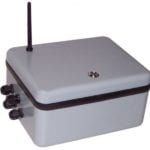
Datalogger Firmware
The .UPD file is an image of the firmware that runs on the 2007-2021 datalogger. It can be downloaded in ASCII (.UPD) or as a compressed archive file (.ZIP). The Firmware Updater program for Windows (below) is used to write this file to the program memory on the circuit board.
Firmware Updater
The updater program for Windows writes the UPD firmware file to the datalogger circuit board over the serial port. The file is available as in installer (.zip) or just the executable (.exe). If you use the .exe and get a message about missing files, use the installer.